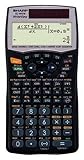
Let me first say that overall, I really like this calculator. However, rather than focussing on the EL-W516's strengths, of which there are many (well documented in these reviews), I want to point out a couple of significant shortcomings. These are not shortcomings that would necessarily disqualify this calculator for most people, but there may be some for whom they are significant.
A few other reviews have done a nice job of comparing this model to the Casio FX-115ES. One thing I have not seen in those reviews, though, regards what I consider to be a significant shortcoming of the EL-516W, in comparison to the FX-115ES. There is no way to enter a generalized equation with multiple variables, such that the user can enter all of the unknowns except one, and have the calculator solve for the remaining variable. The Casio's FX-115ES has a "SOLVE" function, in which an equation (not just an expression, but a full equation) can be entered, and then any variable solved for. For example, if I enter "2X + 3Y = 14, X", and then hit the SOLVE key, the calculator prompts me for a value of Y, and then calculates X. I can easily change it to "2X + 3Y = 14, Y", and the calculator then prompts for X and solves for Y. If I enter "AX + B = Y, B", the calculator prompts for A, X, and Y, and solves for B. I use this handy capability from time to time, and it's something the EL-W516B can't do.
I am an engineer, and have generally used HP calculators over the years. A couple of things I love about HPs are the RPN input notation and the great tactile feedback of the buttons. But HP has (short-sightedly, in my view) abandoned RPN for their lower-priced calculators, and they don't have any calculator with anywhere near the EL-516B's capabilities in this price range. But oh, how I wish Sharp (and Casio) would emulate the feel of the HP buttons. It takes way too little force to push the EL-516B's buttons, so that as my fingers try to move quickly from one button to another, it is easy to inadvertently press buttons incorrectly. I end up using the backspace key much too often. Granted, I may be unusually clumsy, but these mushy keys drive me nuts.
Overall, though, this is a very good calculator. It was nice to be able to get a calculator for my son, who is in his first algebra class, knowing that it will be a great tool for him for years, while not having to worry about him losing or breaking an expensive calculator. That said, I would favor the FX-115ES by an eyelash over the EL-516B, primarily because of the equation solving feature I discussed above.
Buy it here now!
Saturday, July 4, 2009
Sharp EL-W516B Scientific Calculator with WriteView (Black) Review
Posted by Kimmy at 6:49 PM
Subscribe to:
Post Comments (Atom)
0 comments:
Post a Comment